This guide covers the Fund assets import template (assets-template.xlsx). Use it to bulk-add fund investments to Delio. It walks through every column in the template, explains accepted values, and flags anything that can cause a failed import.
Before you start
- Navigate to Portfolio in the main navigation.
- Click Actions › Data Import.
- Select Assets from the left-hand menu.
- Click the Funds template card to download
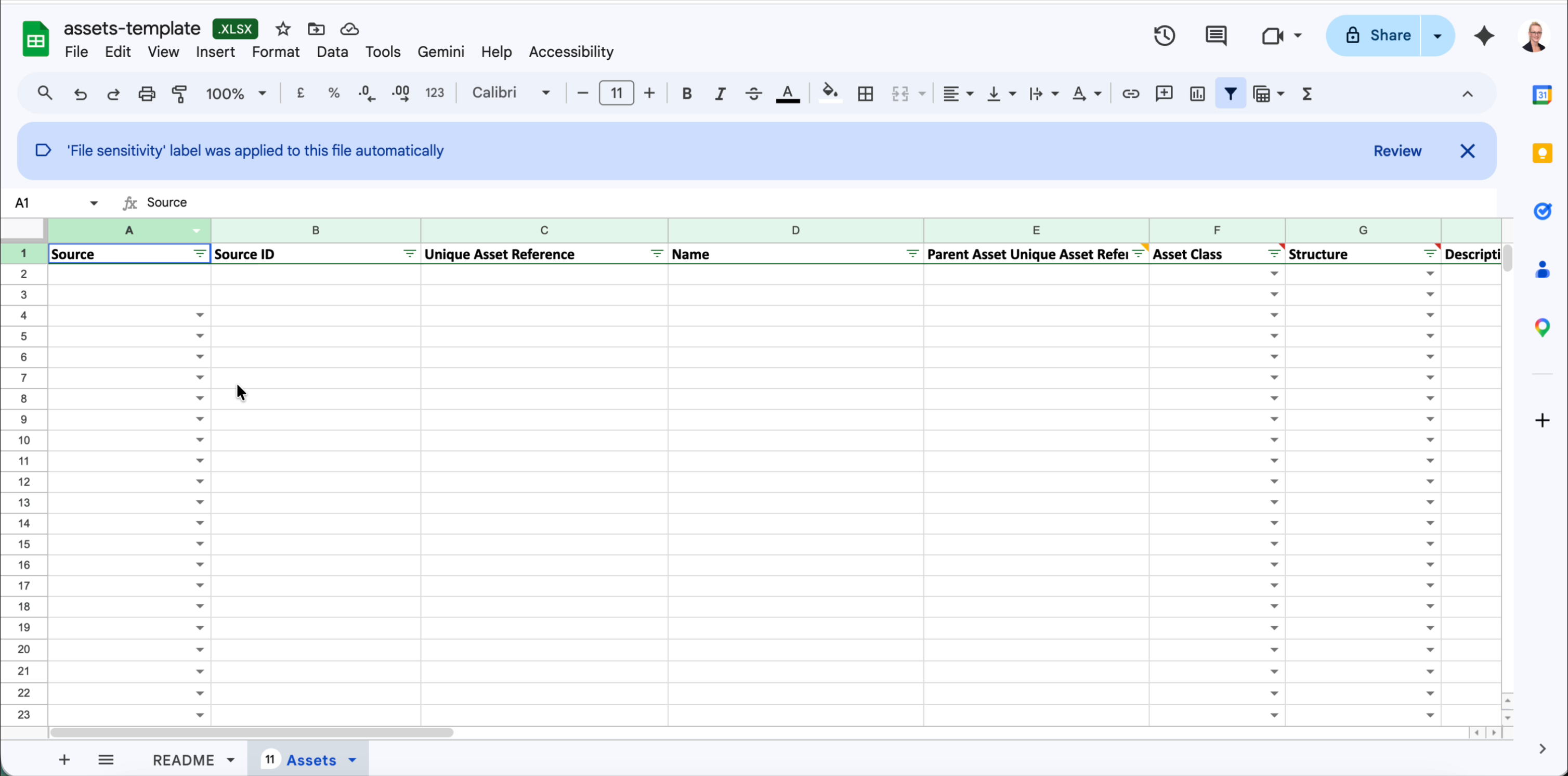
assets-template.xlsx. - Open the file — your data goes on the Assets sheet. Do not edit the README sheet or alter any column headers.
Column reference
The template contains 33 columns (A–AG). Required fields must contain a value for every row — leaving them blank will cause a validation error. Optional fields can be left empty.
Identity & structure
| Col | Column name | Required | Notes |
|---|---|---|---|
| A | Source | Optional | 'delio' when needing to link assets with deals being distributed in the wider platform |
| B | Source ID | Optional | The deal 'GUID' |
| C | Unique Asset Reference | Required | Your internal unique identifier for this asset. Must be unique across all rows in the file and must not already exist in the platform. |
| D | Name | Required | The display name of the asset as it will appear in Delio. |
| E | Parent Asset Unique Asset Reference | Optional | If this asset sits beneath another asset (e.g. a tranche within a fund), enter the Unique Asset Reference of the parent here. The parent must already exist in the platform or be added in this template above the records that is linked to it (i.e. the parent asset must be created first) |
| F | Asset Class | Optional | Select from the dropdown in the template. |
| G | Structure | Required | Must be set to a fund structure type for this template. |
| H | Description | Optional | Free-text description of the asset. |
Financials & classification
| Col | Column name | Required | Notes |
|---|---|---|---|
| I | Reporting Currency | Required | ISO currency code, e.g. USD, GBP, EUR. |
| J | Vintage | Optional | The fund's vintage year as a four-digit number, e.g. 2021. |
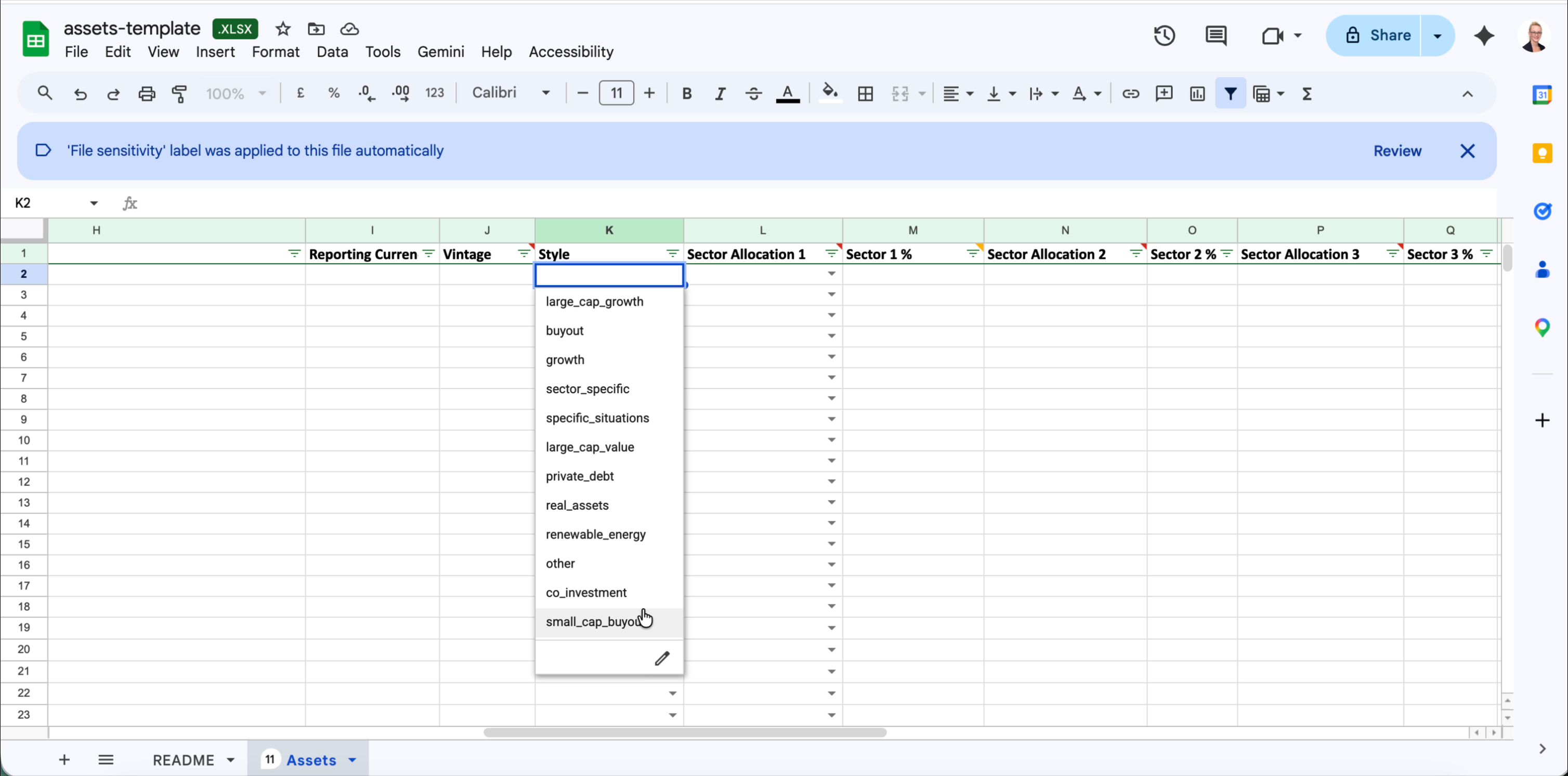
| K | Style | Optional | Select from the dropdown: large_cap_growth, buyout, growth, sector_specific, specific_situations, large_cap_value, private_debt, real_assets, renewable_energy, other, co_investment, small_cap_buyout. |
Sector allocations
You can assign up to three sector allocations per asset. Each allocation requires both a sector name and a percentage. All percentages across the three allocations should add up to 100 if used.
| Col | Column name | Required | Notes |
|---|---|---|---|
| L | Sector Allocation 1 | Optional | Select from the dropdown. |
| M | Sector 1 % | Optional | Numeric percentage, e.g. 40. Required if Sector Allocation 1 is filled. |
| N | Sector Allocation 2 | Optional | Select from the dropdown. |
| O | Sector 2 % | Optional | Numeric percentage. Required if Sector Allocation 2 is filled. |
| P | Sector Allocation 3 | Optional | Select from the dropdown. |
| Q | Sector 3 % | Optional | Numeric percentage. Required if Sector Allocation 3 is filled. |
Geography allocations
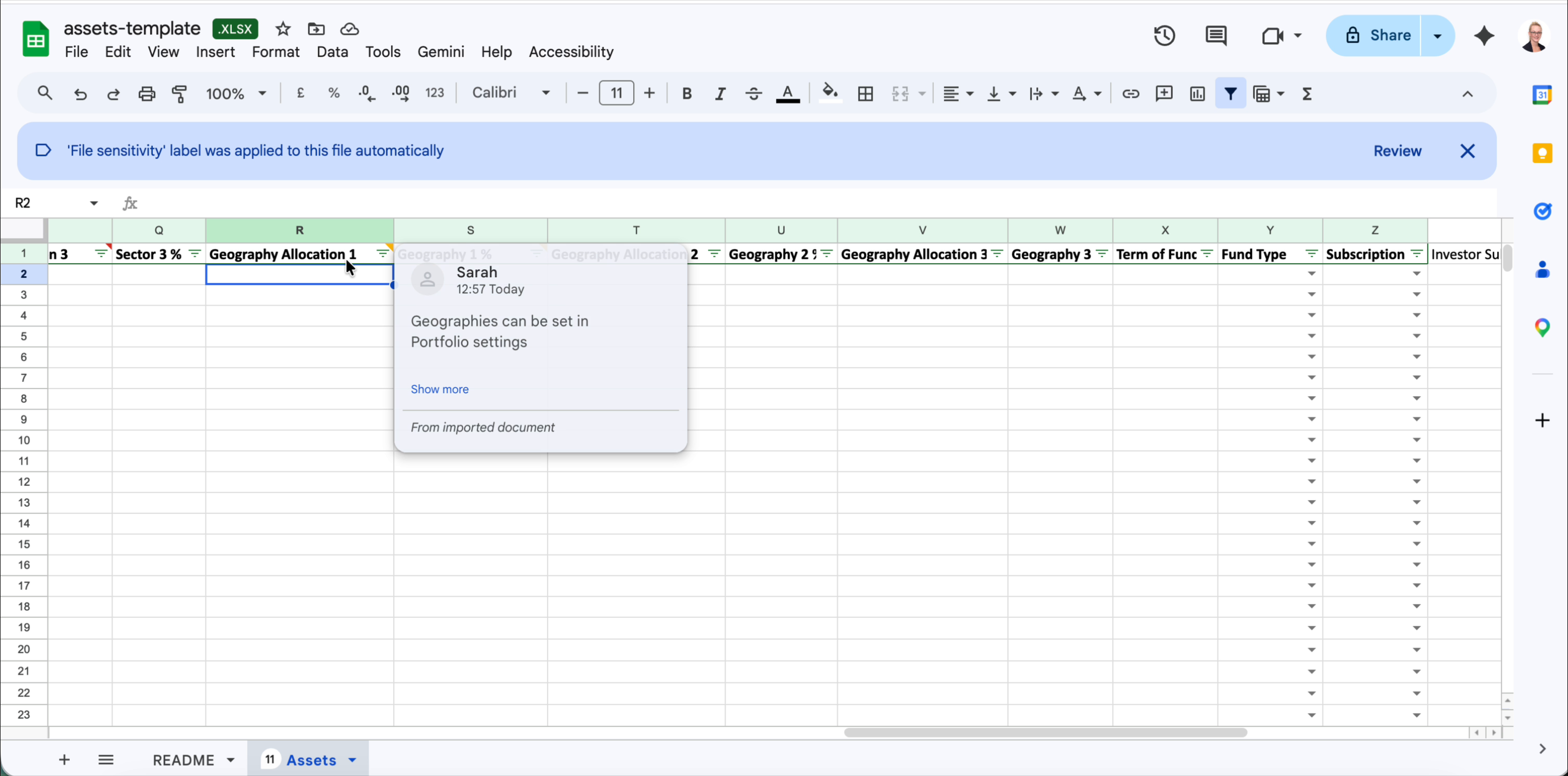
Up to three geography allocations are supported. Geography values are configured in Portfolio settings — only geographies already set up there will be accepted by the import.
| Col | Column name | Required | Notes |
|---|---|---|---|
| R | Geography Allocation 1 | Optional | Must match a geography value configured in Portfolio settings. |
| S | Geography 1 % | Optional | Numeric percentage. Required if Geography Allocation 1 is filled. |
| T | Geography Allocation 2 | Optional | Must match a geography value configured in Portfolio settings. |
| U | Geography 2 % | Optional | Numeric percentage. Required if Geography Allocation 2 is filled. |
| V | Geography Allocation 3 | Optional | Must match a geography value configured in Portfolio settings. |
| W | Geography 3 % | Optional | Numeric percentage. Required if Geography Allocation 3 is filled. |
Fund-specific settings
| Col | Column name | Required | Notes |
|---|---|---|---|
| X | Term of Fund | Optional | Free text, e.g. 10 years. |
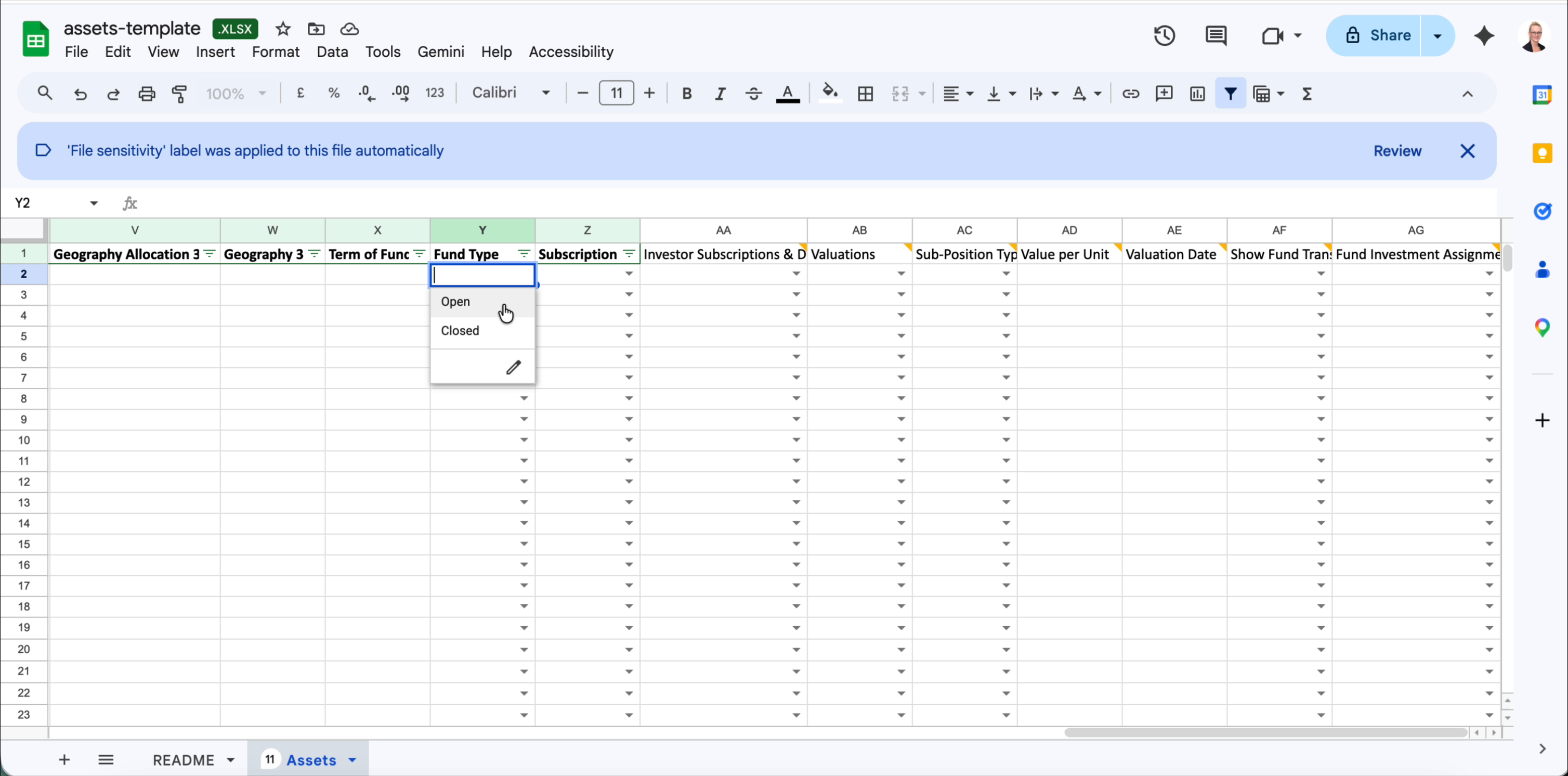
| Y | Fund Type | Optional | Select from the dropdown: Open or Closed. |
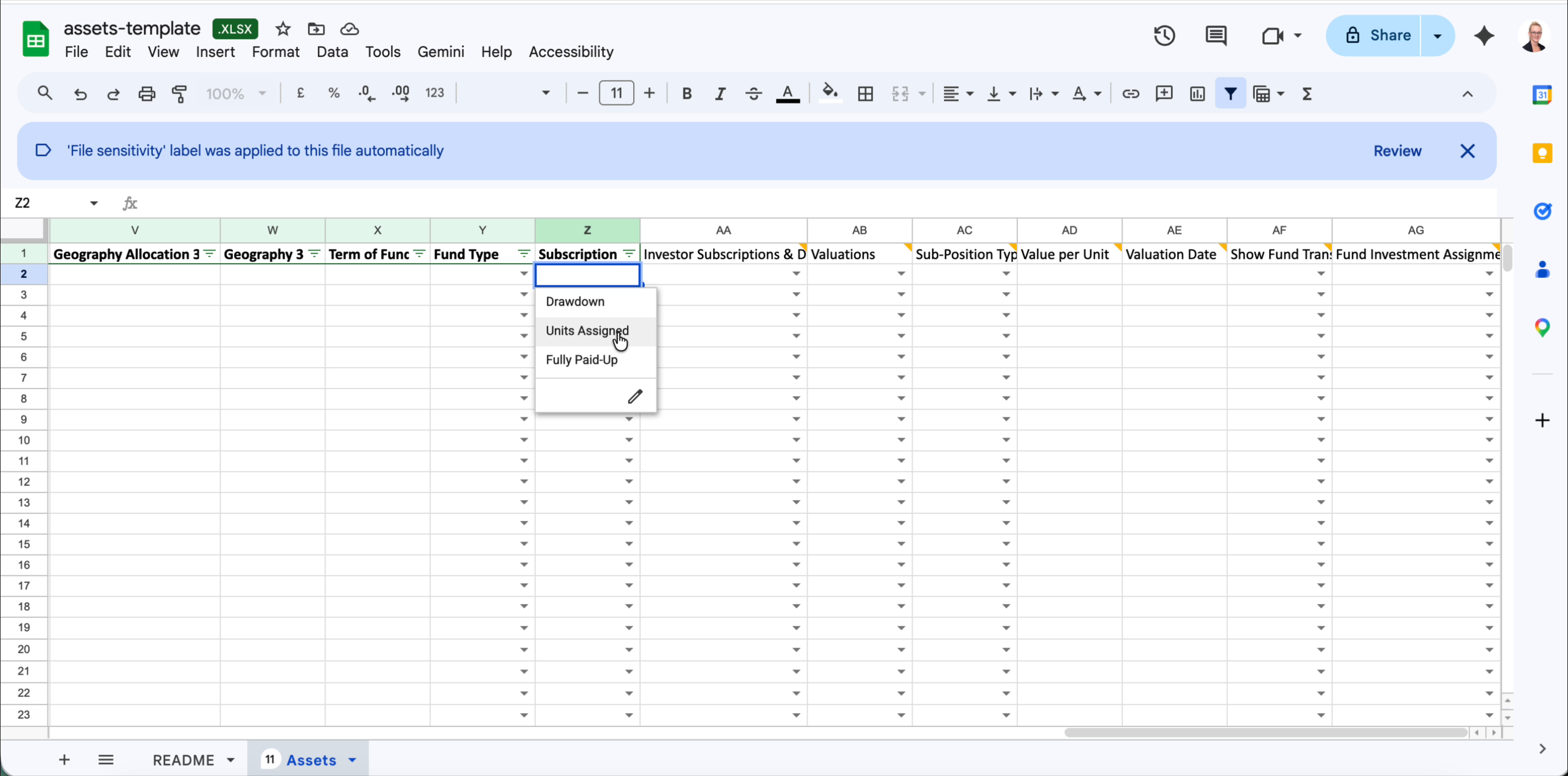
| Z | Subscription | Optional | Select from the dropdown: Drawdown, Units Assigned, or Fully Paid-Up. Determines how investor contributions are tracked. |
| AA | Investor Subscriptions & Drawdowns | Optional | Yes or No. Set to Yes if investor-level subscription and drawdown activity should be tracked at this asset. Any value other than Yes or No will cause the import to fail. |
Valuations
| Col | Column name | Required | Notes |
|---|---|---|---|
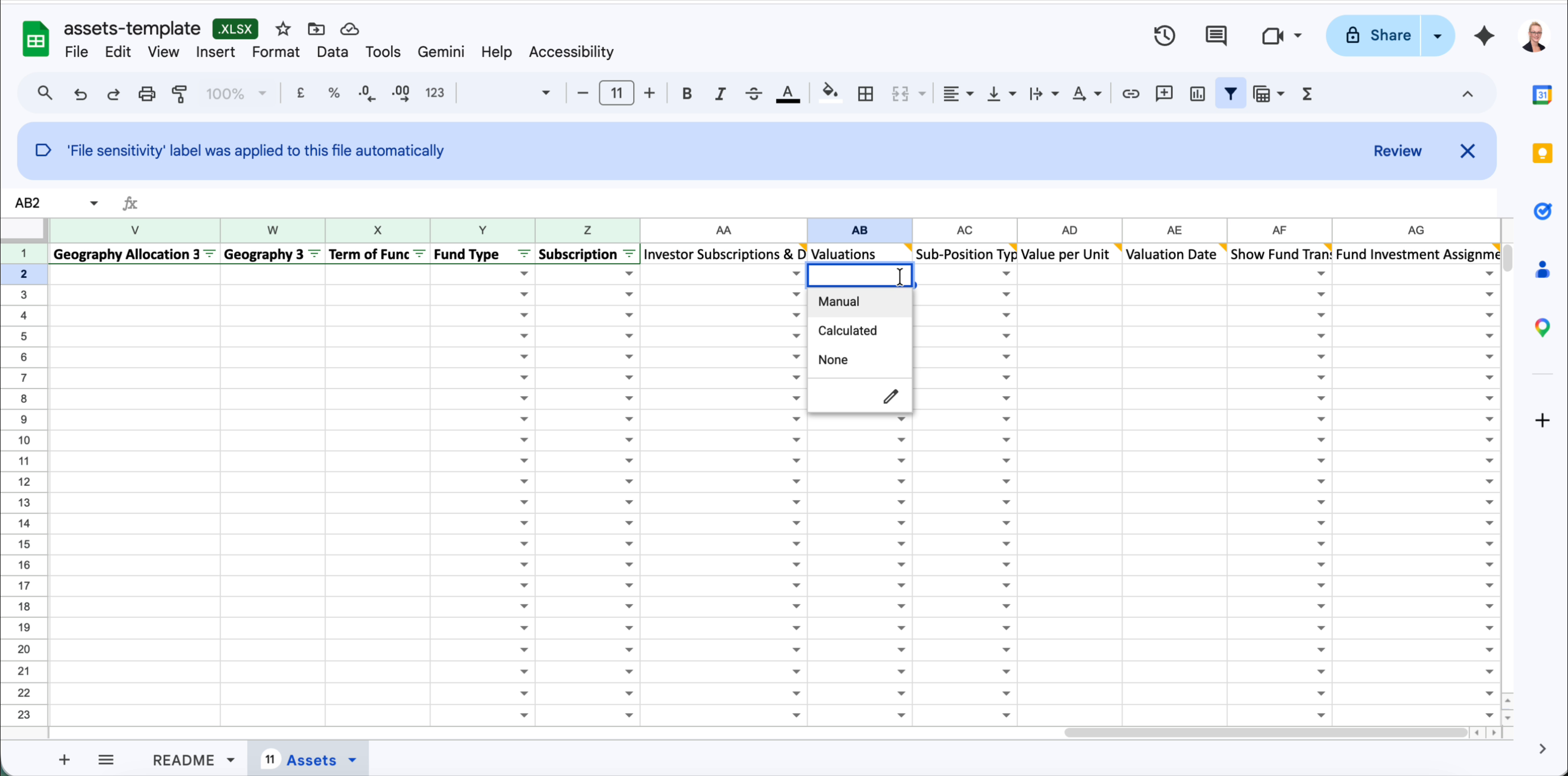
| AB | Valuations | Optional | Select from the dropdown: Manual, Calculated, or None. Controls how the asset's valuation is determined in Delio. |
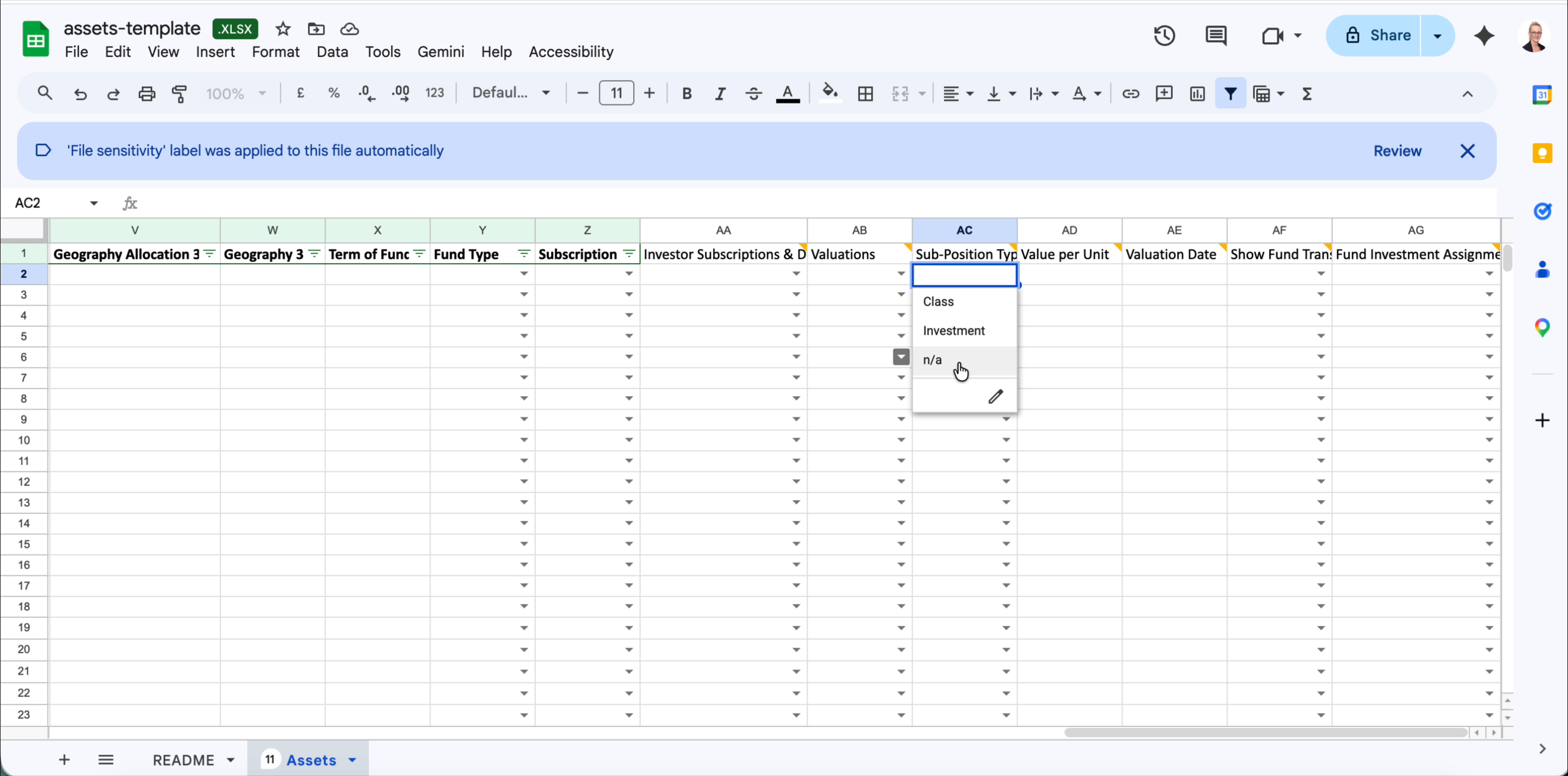
| AC | Sub-Position Type | Optional | Select from the dropdown: Class, Investment, or n/a. |
| AD | Value per Unit | Optional | Numeric value. Used when Valuations is set to Manual. |
| AE | Valuation Date | Optional | Date in YYYY-MM-DD format. |
Investor visibility & activity
| Col | Column name | Required | Notes |
|---|---|---|---|
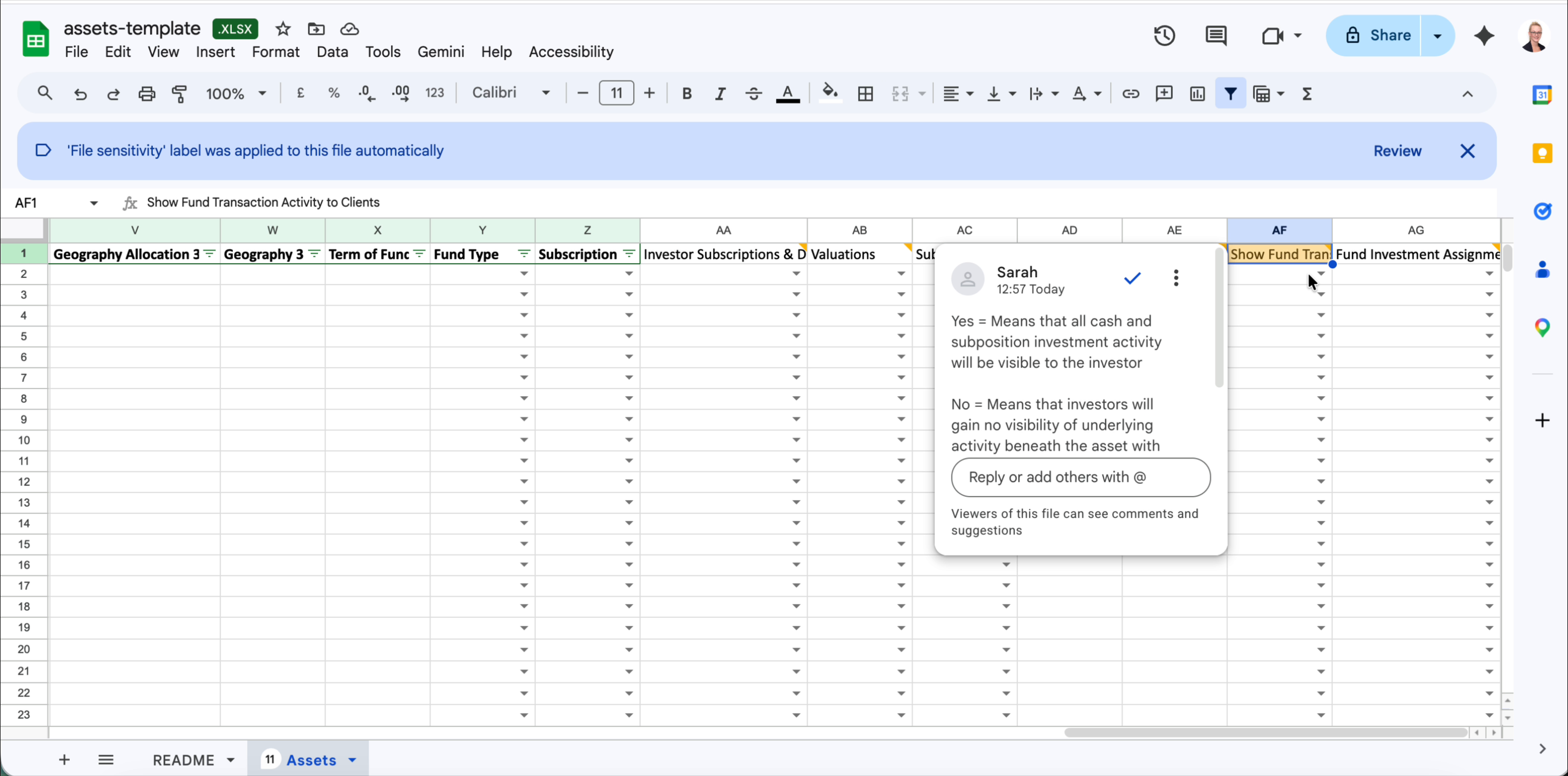
| AF | Show Fund Transaction Activity to Clients | Optional | Yes = all cash and sub-position investment activity is visible to the investor. No = investors gain no visibility of underlying activity beneath the asset. |
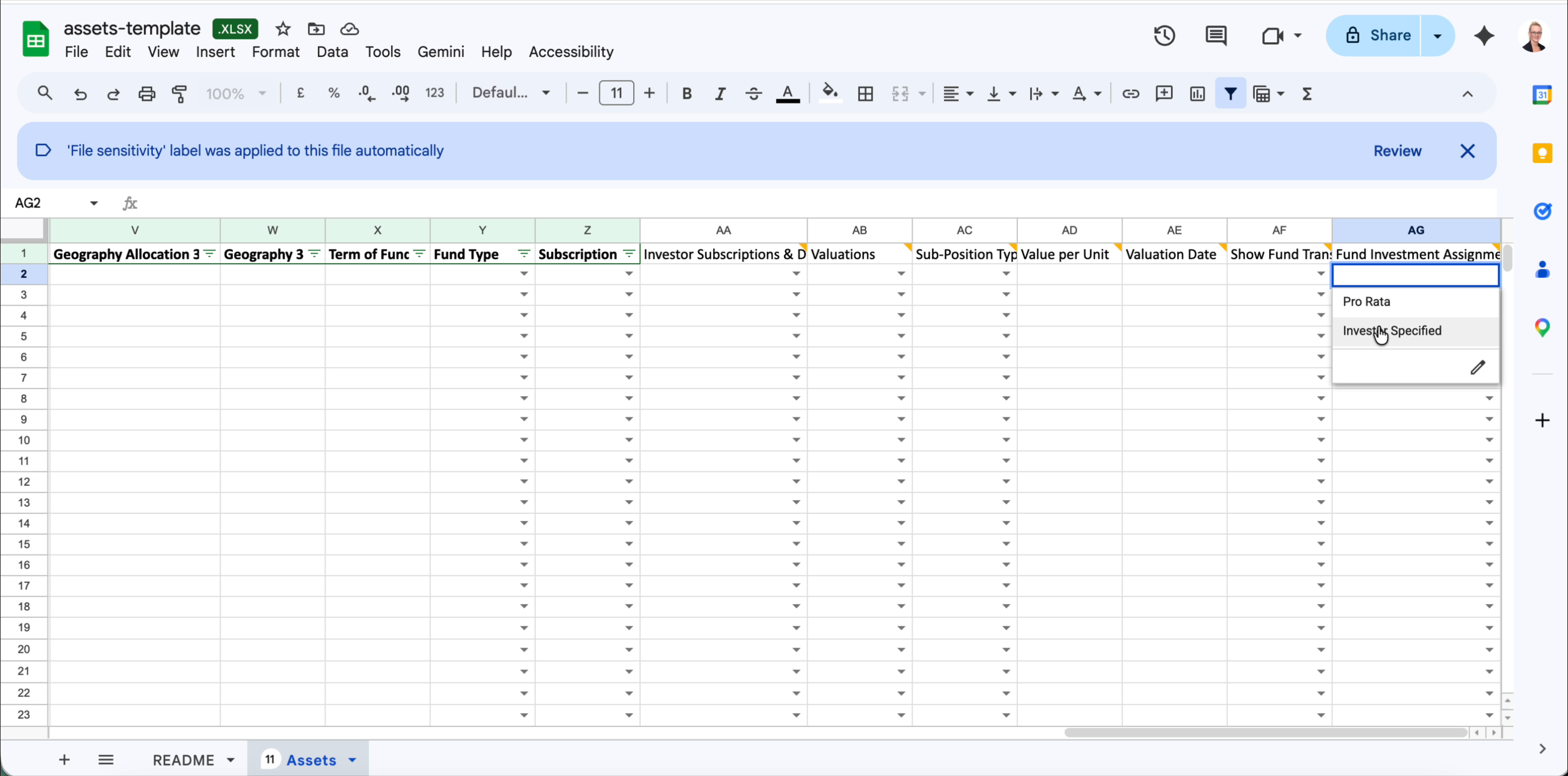
| AG | Fund Investment Assignment | Optional | Pro Rata = the system automatically apportions fund activity to investors based on their holding. Investor Specified = individual investors will be specified on the imported transactions. |
Uploading your completed file
- Save your populated file as
.xlsx— do not convert to CSV. - Return to Portfolio › Actions › Data Import › Assets.
- Drag your file into the Upload area, or click it to browse.
- Delio will validate the file. Any rows with errors will be listed — correct them and re-upload.
Was this article helpful?
That’s Great!
Thank you for your feedback
Sorry! We couldn't be helpful
Thank you for your feedback
Feedback sent
We appreciate your effort and will try to fix the article