This guide covers the Fund subscriptions import template (subscriptions-template.xlsx). Use it to bulk-load investor subscription records against fund investments already in Delio. The template has 9 columns and no dropdowns — all fields are free-text or numeric.
Before you start
The following must exist in Delio before you import:
- The investor referenced in column A
- The fund asset referenced in column B — identified by its Unique Asset Reference
- Navigate to Portfolio in the main navigation.
- Click Actions › Data Import.
- Select Subscriptions from the left-hand menu.
- Click the Funds template card to download
subscriptions-template.xlsx. - Open the file and add your data on the Subscriptions sheet. Do not edit the sheet or alter any column headers.
Important: Do not change any column headers, add new columns, or reformat existing cells. Any structural change to the template will cause the import to fail.
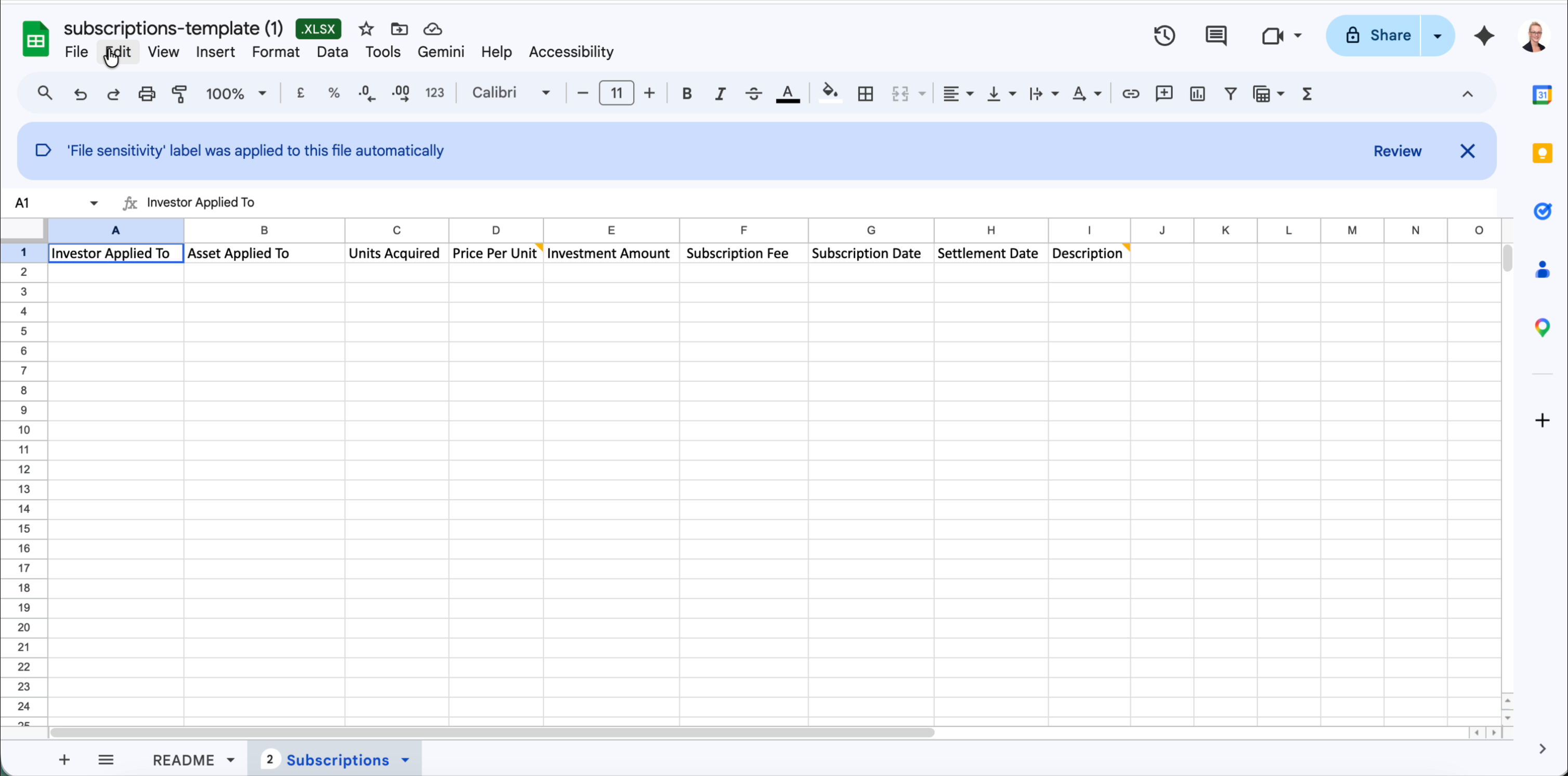
Column reference
The template contains 9 columns (A–I). All financial columns expect plain numeric values — do not include currency symbols or thousand-separator commas.
| Col | Column name | Required | Notes |
|---|---|---|---|
| A | Investor Applied To | Required | The unique identifier of the investor this subscription belongs to. Must match an investor already in Delio. |
| B | Asset Applied To | Required | The Unique Asset Reference of the fund asset this subscription is applied to. Must match an asset already in Delio. |
| C | Units Acquired | Optional | The number of units acquired in this subscription. Numeric value, e.g. 100000.00. Required if the asset uses a units-based subscription model. |
| D | Price Per Unit | Optional | The price paid per unit. Numeric value, e.g. 1.00. Required if Units Acquired is provided. |
| E | Investment Amount | Required | The total subscription amount in the asset's reporting currency. Numeric value, e.g. 100000. Do not include currency symbols. |
| F | Subscription Fee | Optional | Any fee charged on this subscription. Numeric value in the asset's reporting currency. |
| G | Subscription Date | Required | The date the subscription was made. Use YYYY-MM-DD format, e.g. 2024-03-31. |
| H | Settlement Date | Optional | The date the subscription was settled. Use YYYY-MM-DD format. Can be left blank if settlement has not yet occurred. |
| I | Description | Optional | Free-text note about this subscription record. |
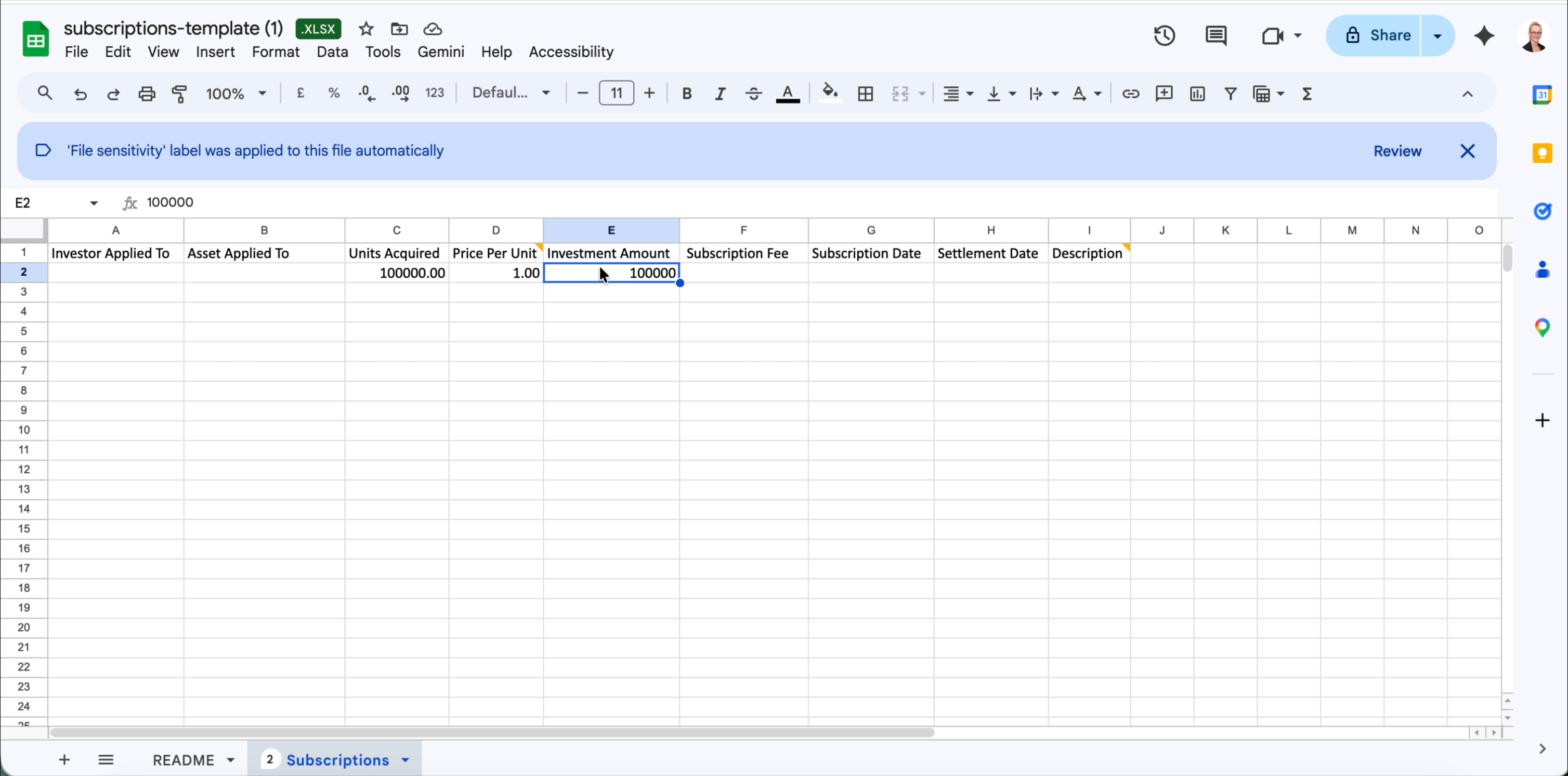
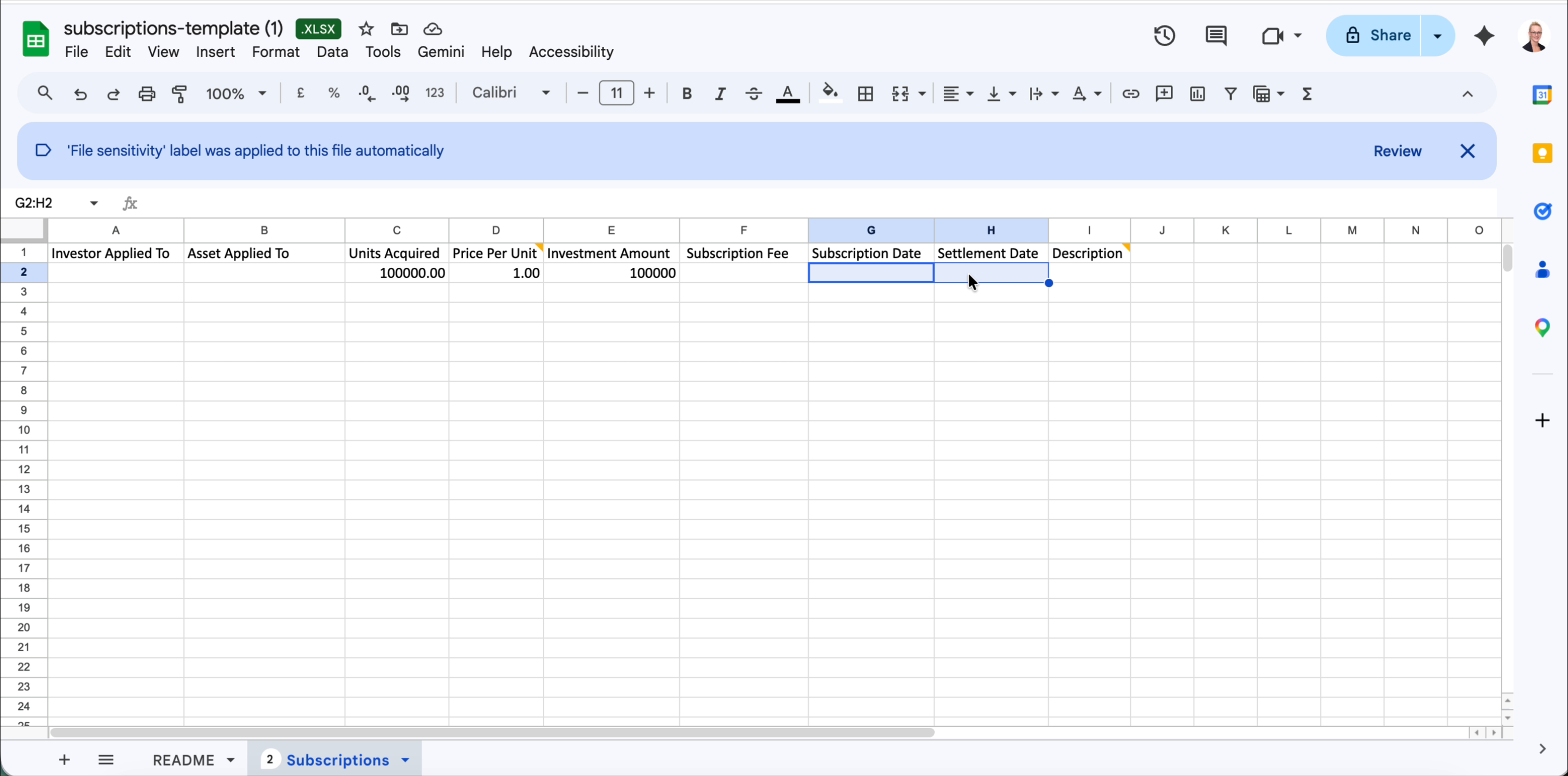
Tip: If you are importing subscriptions for a Drawdown-type fund, Investment Amount is the commitment amount. For Units Assigned funds, populate Units Acquired and Price Per Unit as well — Delio will use these to calculate the position value.
Uploading your completed file
- Save your populated file as
.xlsx— do not convert to CSV. - Return to Portfolio › Actions › Data Import › Subscriptions.
- Drag your file into the Upload area, or click it to browse.
- Delio will validate the file. Any rows with errors will be listed — correct them and re-upload.
Tip: If a row fails validation, only that row is rejected, but no records are imported. Fix the flagged rows and re-upload the whole file.
Was this article helpful?
That’s Great!
Thank you for your feedback
Sorry! We couldn't be helpful
Thank you for your feedback
Feedback sent
We appreciate your effort and will try to fix the article