The Distributions template lets you bulk-upload distribution transactions — redemptions, income payments, and dividends — across all asset types. Use it whenever you need to record money being paid out to investors or units being redeemed from an investment.
Template Overview
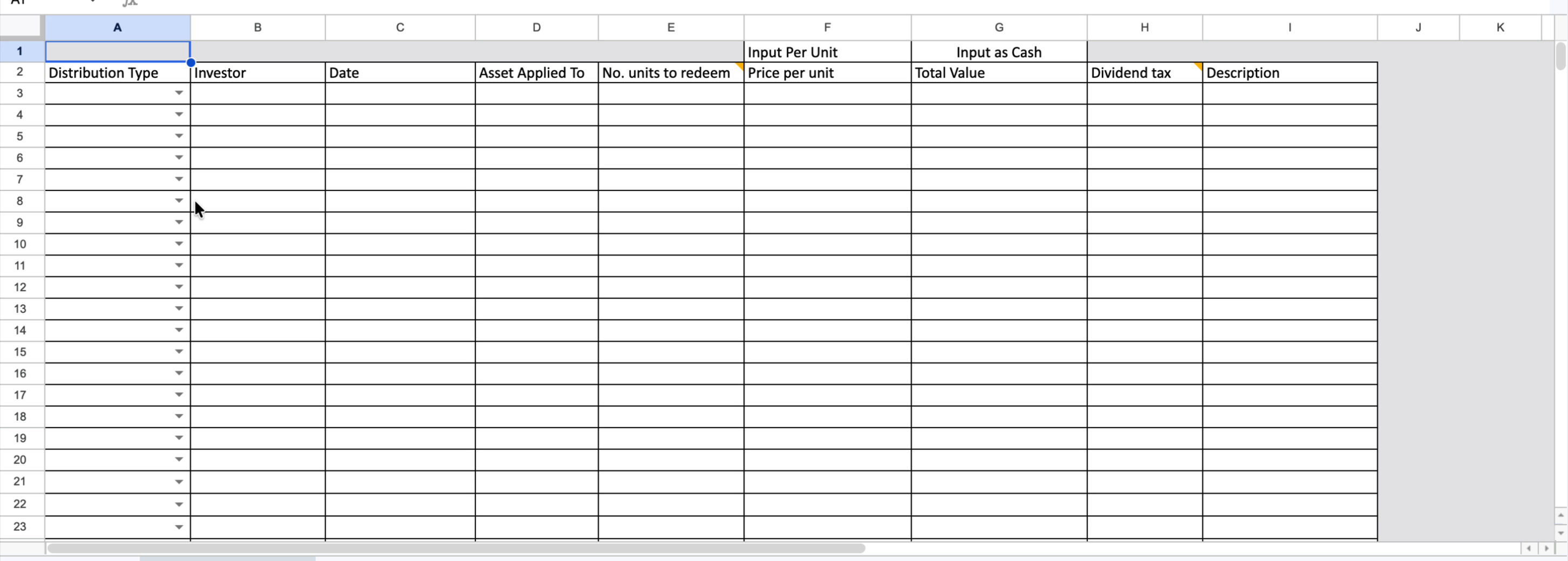
Each row in the template represents a single distribution transaction. The columns are:
- Distribution Type — select from the dropdown: Redemption, Income, or Dividend.
- Investor — the unique reference for the investor as it appears in Delio.
- Date — the date the distribution took place.
- Asset Applied To — the unique reference for the asset the transaction applies to.
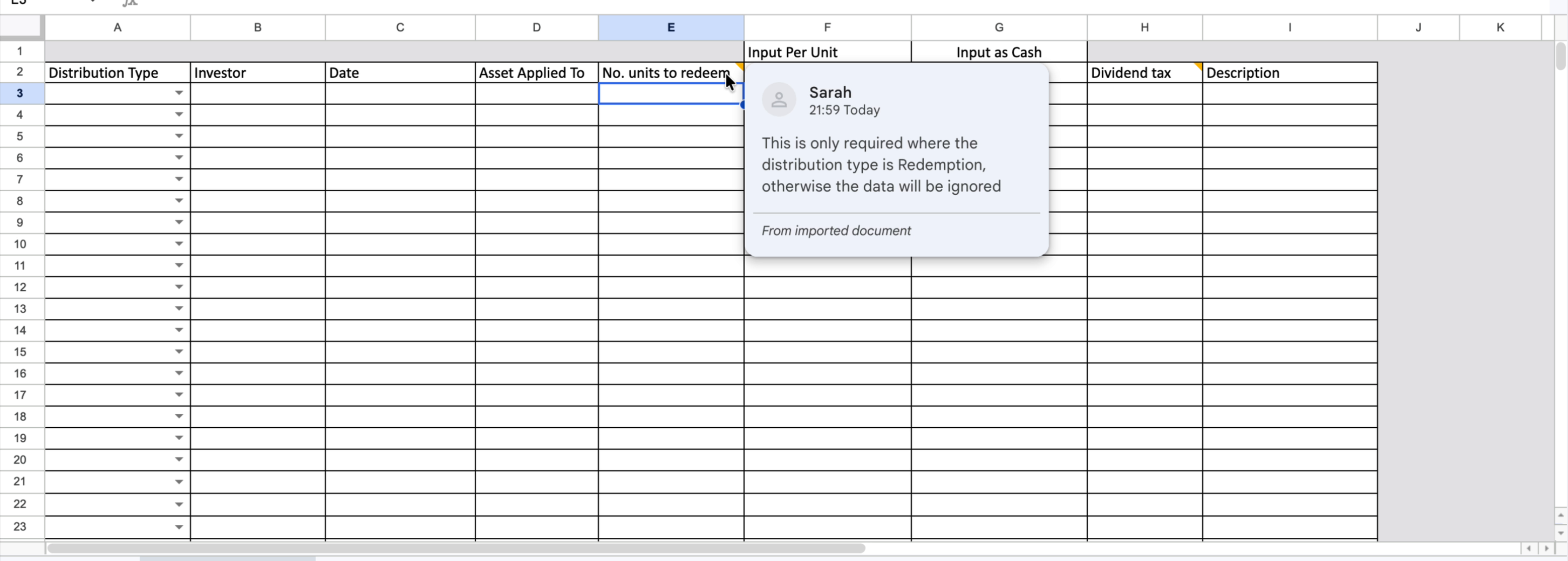
- No. units to redeem — the number of units being redeemed. Required for Redemptions only; leave blank for Dividends and Income.
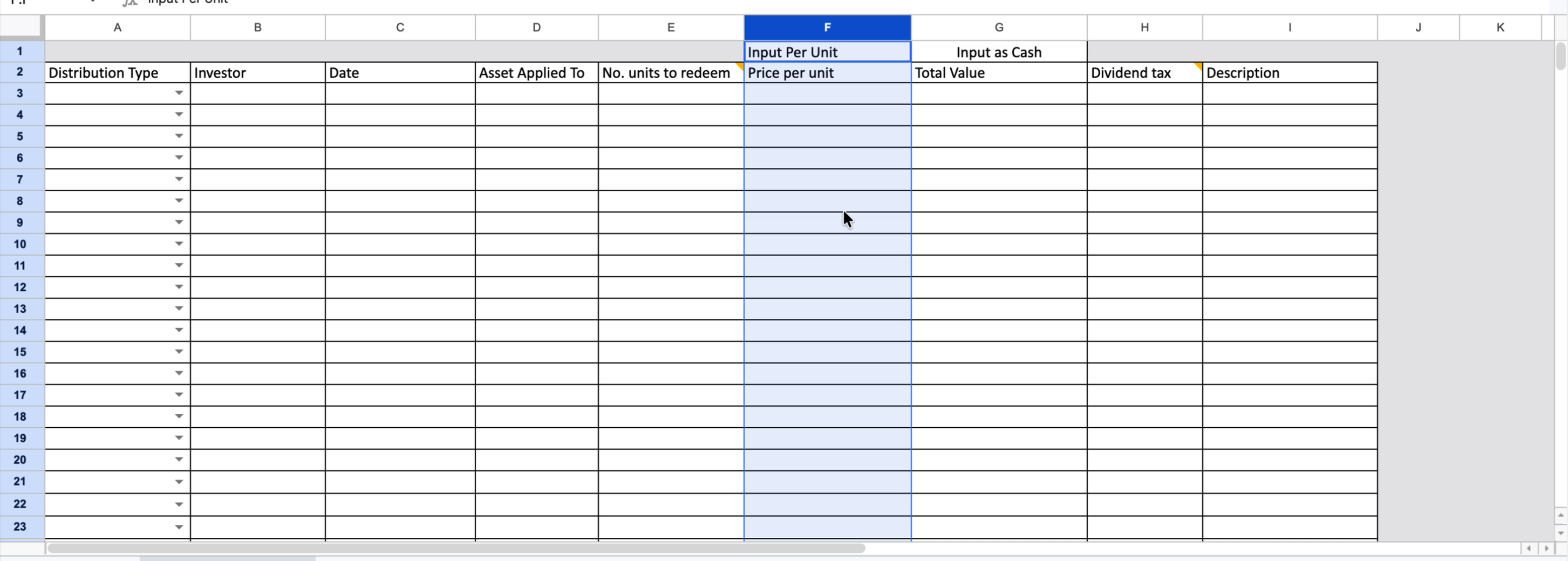
- Price per unit — unit price (under the "Input Per Unit" group).
- Total Value — total cash amount (under the "Input as Cash" group).
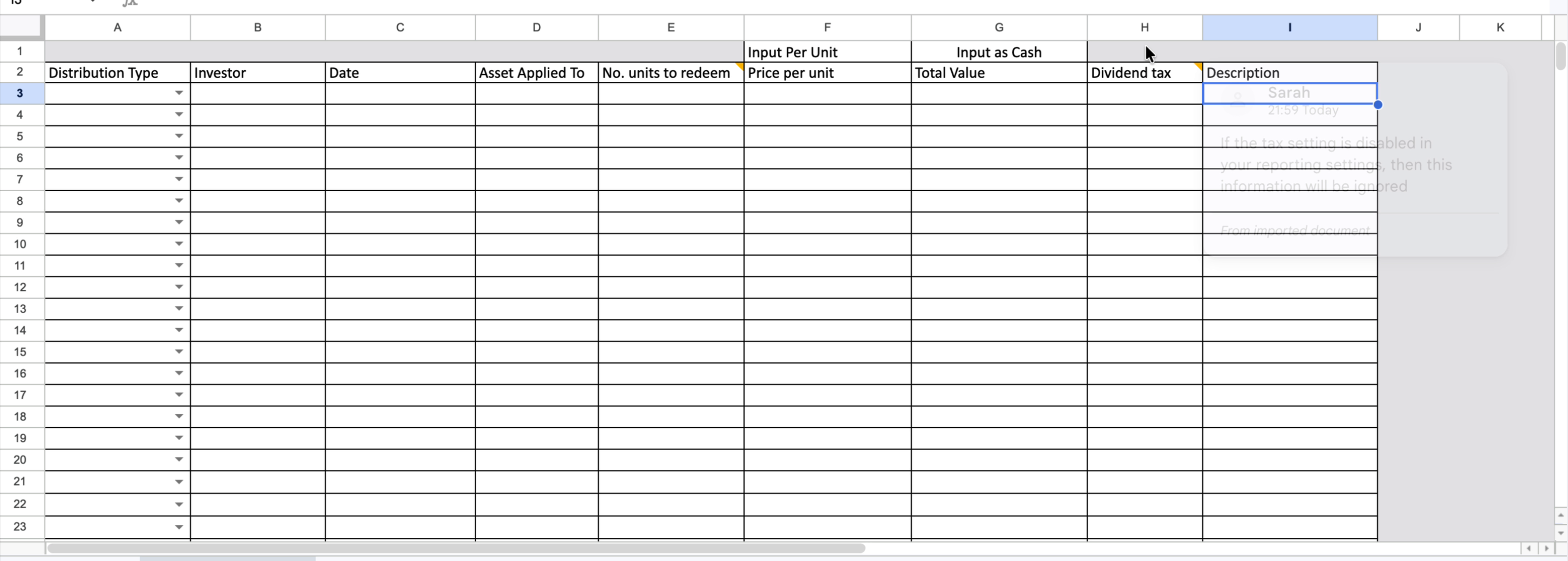
- Dividend tax — optional; no functional effect unless tax reporting is enabled in your settings.
- Description — optional free-text note.
Distribution Types
Select the correct type from the dropdown in column A before filling in the rest of the row. The type determines which fields are required and how the system processes the transaction.
- Redemption — the investor is receiving part of their investment capital back. Units are being returned, so No. units to redeem is required.
- Income — additional money is being paid out to the investor above their invested capital. No unit redemption takes place.
- Dividend — similar to Income; additional money paid out. No unit redemption takes place.
Number of Units to Redeem
This field is only required when the Distribution Type is Redemption. For Dividend and Income transactions, leave it blank — the system will ignore any value entered here for those types.
Entering the Transaction Value
For every distribution type, you have two ways to input the value — choose one per row:
- Price per unit (Input Per Unit column) — enter the unit price. For Redemptions, the system multiplies this by the number of units to calculate the total value. For Dividends and Income, the system looks up how many units the investor held on that date and calculates accordingly.
- Total Value (Input as Cash column) — enter the cash amount directly. For Redemptions, the system will back-calculate the price per unit from the units entered.
Dividends and Income — How Unit Counts Work
For Dividend and Income transactions, no units are being redeemed, so you do not enter a unit count. Instead, Delio automatically looks up the number of units that investor held in that asset on the specified date. You then only need to provide either a price per unit or a total value:
- Enter a Price per unit — Delio multiplies it by the investor's unit holding on that date to post the total.
- Enter a Total Value — Delio posts exactly that amount as entered for that investor and asset on that date.
Dividend Tax and Description
Dividend tax is an optional field. It will only be applied if tax reporting is enabled in your Delio reporting settings — if that setting is disabled, any value entered here will be ignored. Description is a free-text field for internal reference and is not required for a successful import.
Uploading the Completed Template
- Complete all required rows — one distribution per row.
- Save the file in .xlsx format.
- In Delio, navigate to the relevant asset and locate the distribution import option.
- Upload the completed file and confirm the import.
- Review any validation errors and correct the relevant rows before re-uploading.
Was this article helpful?
That’s Great!
Thank you for your feedback
Sorry! We couldn't be helpful
Thank you for your feedback
Feedback sent
We appreciate your effort and will try to fix the article