The Cash Pools import template lets you bulk-upload cash pool definitions and their associated transactions into Delio. Use it to set up investable cash accounts linked to assets, and to record credits, debits, and movements against those pools.
Overview
The template is a two-sheet spreadsheet. Complete both sheets before uploading:
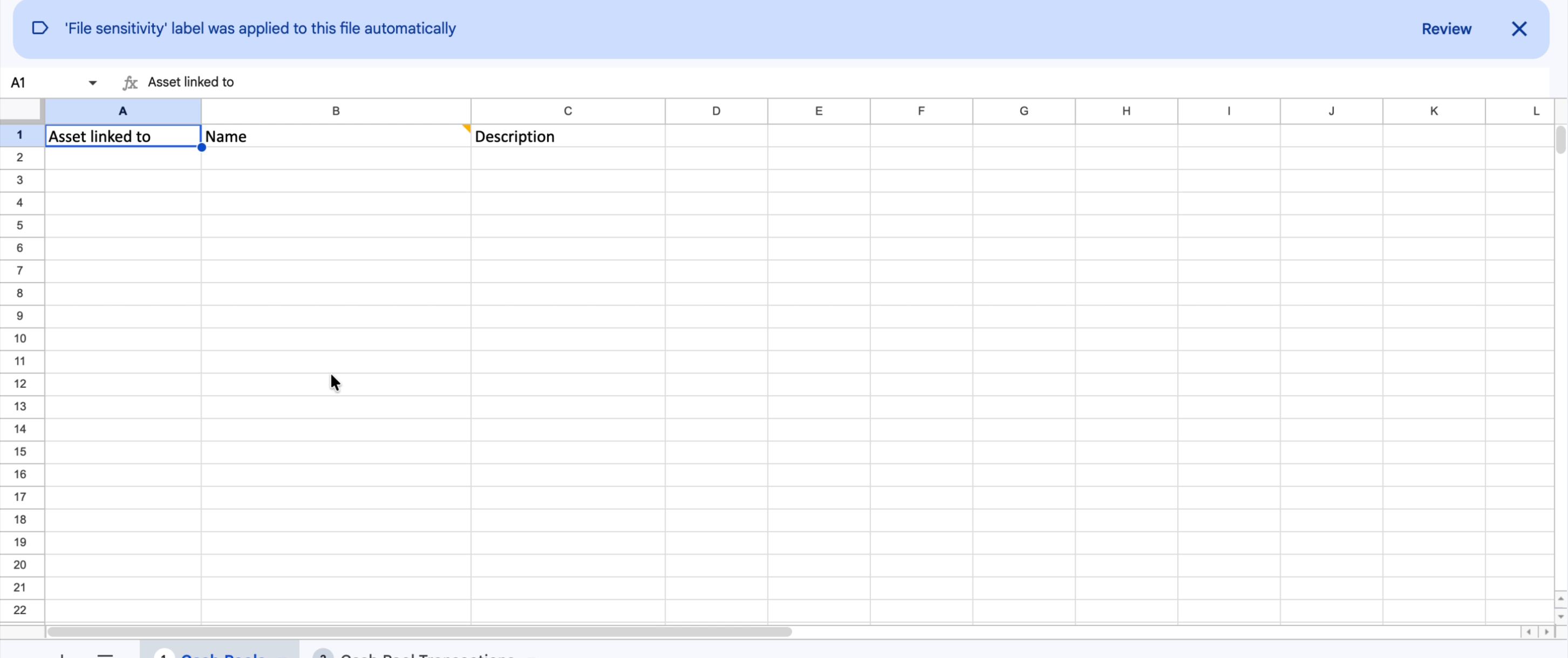
- Sheet 1 — Cash Pools: defines the cash pools themselves — each pool is linked to an asset and given a name and optional description.
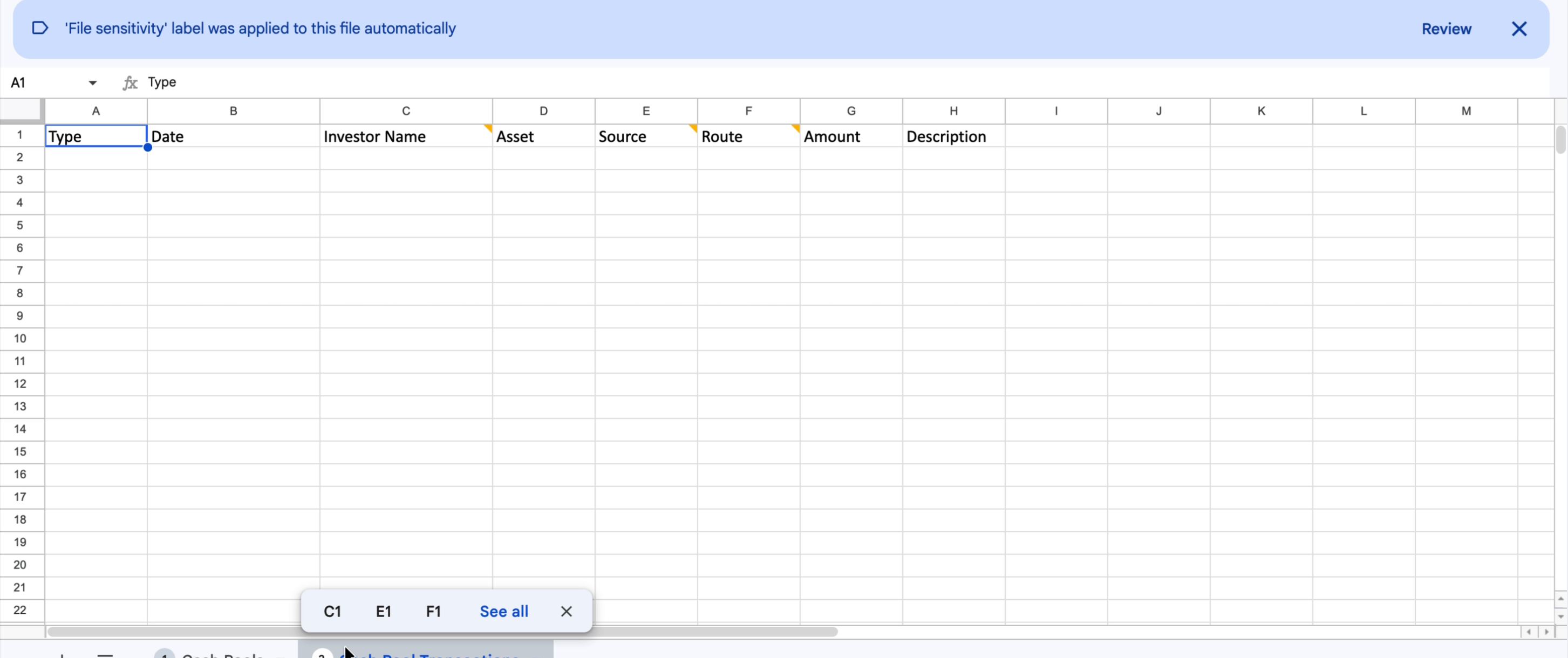
- Sheet 2 — Cash Pool Transactions: records the individual credit, debit, and movement transactions against those pools.
Sheet 1 — Cash Pools
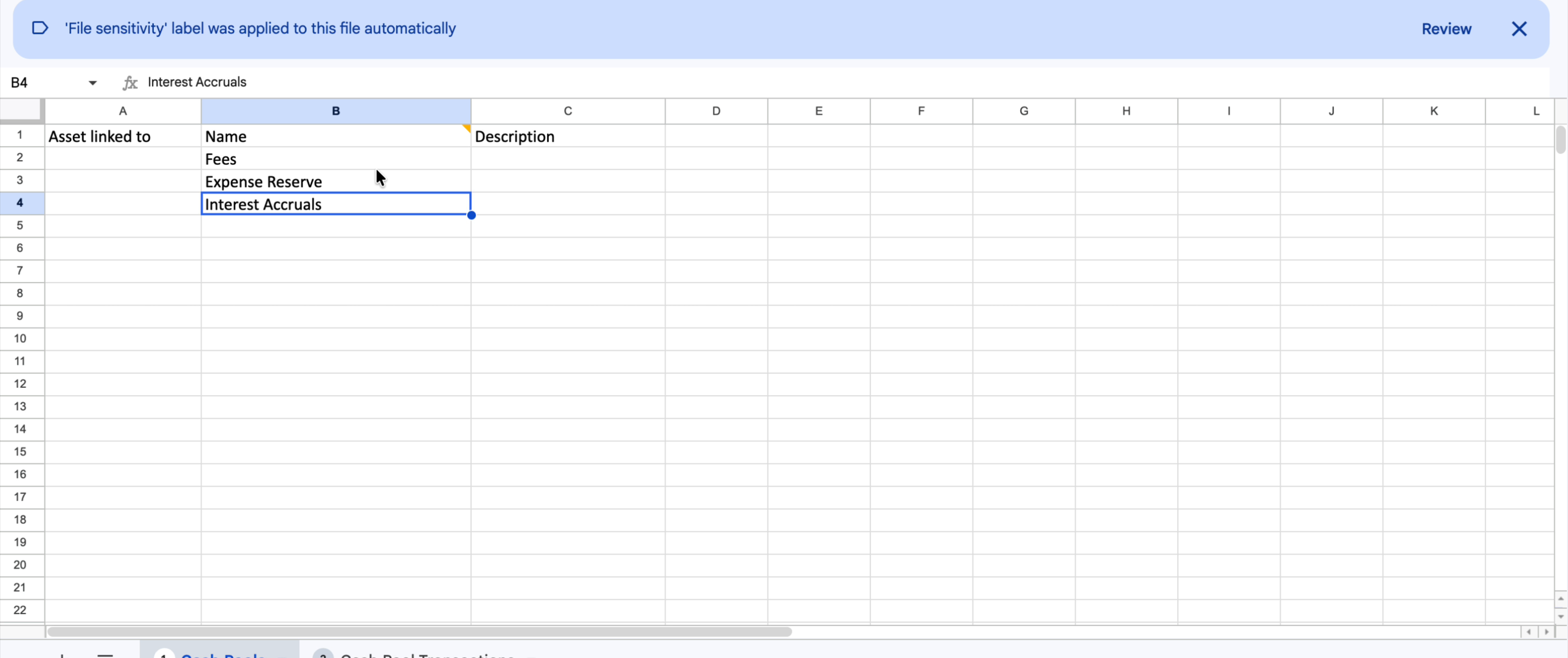
Each row in this sheet defines one cash pool. A single asset can have multiple cash pools (for example, separate pools for Fees, Expense Reserve, and Interest Accruals).
| Column | Required | Description |
|---|---|---|
| Asset linked to | Yes | The name of the asset this cash pool belongs to, exactly as it appears in Delio. |
| Name | Yes | The name of the cash pool (also referred to as ‘Investable Cash’). For example: Fees, Expense Reserve, or Interest Accruals. |
| Description | No | An optional free-text description of the cash pool. |
Sheet 2 — Cash Pool Transactions
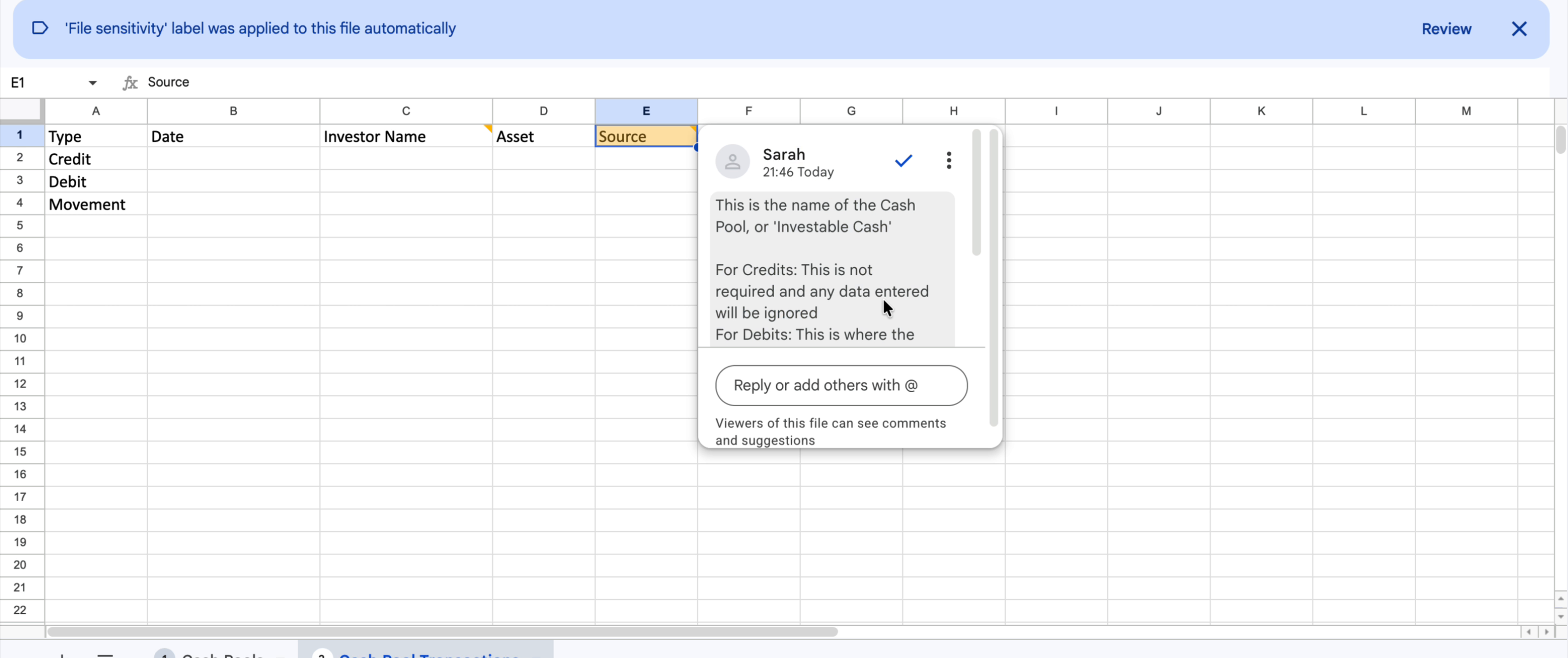
Each row records one transaction against a cash pool. Three transaction types are supported: Credit, Debit, and Movement.
| Column | Required | Description |
|---|---|---|
| Type | Yes | The transaction type. Must be one of: Credit, Debit, or Movement. |
| Date | Yes | The date of the transaction. |
| Investor Name | Yes | The unique investor reference as it appears in Delio. |
| Asset | Yes | The name of the asset the cash pool belongs to. |
| Source | Conditional | The name of the cash pool (investable cash) involved. Credits: not required — any value entered will be ignored. Debits: the cash pool the funds are drawn from. Movements: the cash pool the funds are received into. |
| Route | Conditional | The name of the cash pool (investable cash) involved. Credits: the cash pool the funds are received into. Debits: not required — any value entered will be ignored. Movements: the cash pool the funds are received into. |
| Amount | Yes | The transaction value. |
| Description | No | An optional free-text description of the transaction. |
Transaction type reference
Use this table as a quick reference when completing the Cash Pool Transactions sheet:
| Type | Source | Route | Use when |
|---|---|---|---|
Credit | Not required | Cash pool receiving funds | Money is coming into a cash pool |
Debit | Cash pool funds are drawn from | Not required | Money is going out of a cash pool |
Movement | Cash pool receiving funds | Cash pool receiving funds | Money is moving between cash pools |
Uploading the template
- Complete Sheet 1 (Cash Pools) in full before moving to Sheet 2.
- Complete Sheet 2 (Cash Pool Transactions), ensuring each transaction references a cash pool name that matches exactly what you entered in Sheet 1.
- Save the file and navigate to the Data Import section in Delio.
- Select the Cash Pools template type and upload your completed file.
- Review any validation errors returned and correct the highlighted rows before re-uploading.
Was this article helpful?
That’s Great!
Thank you for your feedback
Sorry! We couldn't be helpful
Thank you for your feedback
Feedback sent
We appreciate your effort and will try to fix the article